


Your Shopping accounts, watched around the clock
Know the moment a budget, feed, or performance issue needs your attention, and act while there’s still time to fix it.


How can you monitor Shopping campaigns at scale?
See every account and every campaign type in one screen
Ecommerce teams usually manage Shopping and PMax campaigns, and the merchant feed behind them as two separate things, which means checking different places just to know if everything is fine.
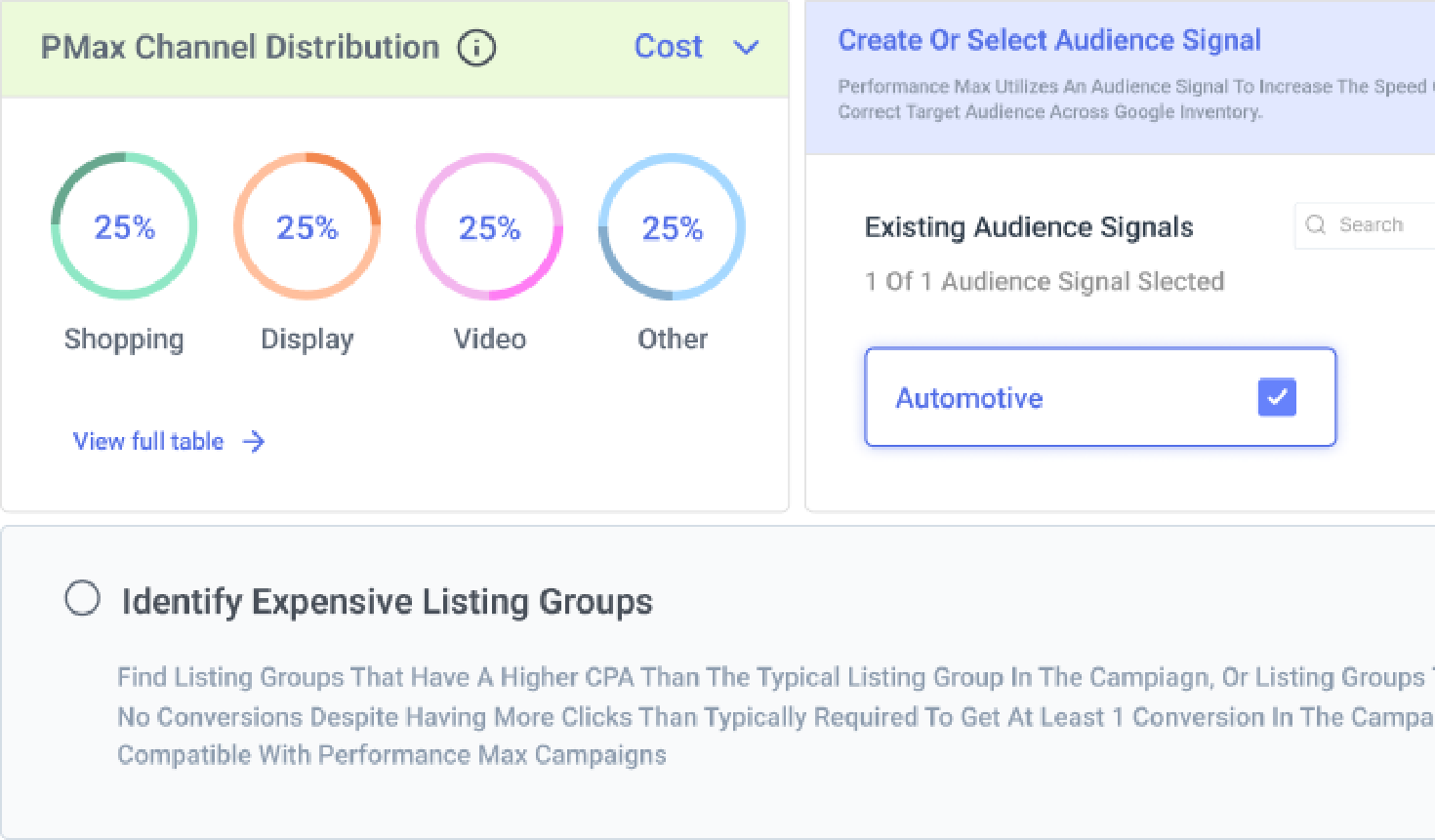
The Shopping Dashboard brings your Shopping campaigns across Google Ads and Microsoft Ads, and the feeds that power them into a single view, so you can see campaign health, your performance buckets, PMax channel distribution, and feed sync status without switching tools.
Open the Shopping Dashboard guide
The Shopping Dashboard brings your Shopping campaigns across Google Ads and Microsoft Ads, and the feeds that power them into a single view, so you can see campaign health, your performance buckets, PMax channel distribution, and feed sync status without switching tools.

See budget pacing and performance across your whole portfolio
Managing Shopping and PMax across several accounts usually means checking pacing, alerts, and performance one account at a time, and small issues in any single account are easy to miss.
Across the Portfolio Dashboard and Optmyzr’s budget tools, you can see budget pacing, account health, and active alerts for the whole group at a glance, instead of opening each account separately. You can set KPI alerts at the portfolio level instead of per account, and budget monitors track over-pacing, under-pacing, and spend thresholds across every account in the group, pausing or re-enabling campaigns automatically when a limit is hit.
When budgets need to shift between accounts, Reallocate and Optimize Budgets applies suggestions across the whole portfolio in one pass.
See how the Portfolio Dashboard tracks pacing
Across the Portfolio Dashboard and Optmyzr’s budget tools, you can see budget pacing, account health, and active alerts for the whole group at a glance, instead of opening each account separately. You can set KPI alerts at the portfolio level instead of per account, and budget monitors track over-pacing, under-pacing, and spend thresholds across every account in the group, pausing or re-enabling campaigns automatically when a limit is hit.
When budgets need to shift between accounts, Reallocate and Optimize Budgets applies suggestions across the whole portfolio in one pass.

Get fast performance summaries without opening multiple reports
Checking what changed in your accounts or hunting down performance anomalies often means clicking through multiple sub-menus and building ad-hoc reports. Optmyzr Sidekick summarizes your account’s performance, flags strengths and areas that need attention, and answers direct questions about what’s happening, right inside whichever tool you’re using. With Optmyzr’s MCP, you can ask the same questions from Claude or another connected AI assistant, retrieve performance reports, and check on alerts without logging into Optmyzr first.
Ask Sidekick about your account

Walk into your biggest sales days with real confidence
Black Friday, Cyber Monday, and other major sale events put more pressure on your accounts in a single day than most weeks combined, and small issues can turn into lost revenue fast.
The Sale Day Command Center gives you a real-time view of budget pacing, performance, and account health for Google, Microsoft, Amazon, and Meta Ads, refreshed every 30 minutes, with a direct comparison to how the same sale day performed last year. You’ll see the moment a budget is close to running out or performance moves outside the normal range, with time left to act.
Set up your Sale Day Command Center
The Sale Day Command Center gives you a real-time view of budget pacing, performance, and account health for Google, Microsoft, Amazon, and Meta Ads, refreshed every 30 minutes, with a direct comparison to how the same sale day performed last year. You’ll see the moment a budget is close to running out or performance moves outside the normal range, with time left to act.

Keep your product feed healthy and ready to perform
A messy or incomplete product feed is one of the most common reasons Shopping and PMax campaigns underperform, and it’s often invisible until sales already dropped.
Shopping Feed Audits score the overall health of your feed and compare your pricing against industry benchmarks, while Google & Microsoft Merchant Center Troubleshooting surfaces feed sync errors and account permissions issues. Optmyzr’s audits flag problems like disapproved products and missing attributes so you know exactly what to fix.
Run a Shopping Feed Audit on your Merchant Center feed
Shopping Feed Audits score the overall health of your feed and compare your pricing against industry benchmarks, while Google & Microsoft Merchant Center Troubleshooting surfaces feed sync errors and account permissions issues. Optmyzr’s audits flag problems like disapproved products and missing attributes so you know exactly what to fix.

Know which PMax creative is actually working
Figuring out which ad creatives are dragging down performance across your PMax campaigns usually requires manually opening every campaign and clicking through individual asset groups. Asset-level reporting simplifies this by showing exactly how each headline, description, image, and video is performing in one place. It evaluates ad strength labels (such as Poor, Average, Good, or Excellent) and tells you whether to keep, pause, replace, or refresh assets without the manual work.
Configure PMax assets in Optmyzr

Always know exactly where your ad spend stands
Budgets on Shopping campaigns can overspend or underspend without any warning, and finding out at the end of the month is usually too late to fix it.
Spend Projection forecasts your likely spend for Google Ads, Microsoft Ads, and Amazon Ads, using live pacing, seasonality, and historical trends, and shows you what’s driving that forecast before the month closes it for you. Alerts can be routed straight to email, Slack, or Microsoft Teams, so budget pacing is something your team notices in the moment.
Forecast your month-end spend
Spend Projection forecasts your likely spend for Google Ads, Microsoft Ads, and Amazon Ads, using live pacing, seasonality, and historical trends, and shows you what’s driving that forecast before the month closes it for you. Alerts can be routed straight to email, Slack, or Microsoft Teams, so budget pacing is something your team notices in the moment.

Get a straight answer when performance suddenly changes
A sudden spike or drop in ROAS, conversions, or clicks on a Shopping campaign usually means something changed, but finding out what can take hours of digging through reports.
PPC Investigator traces the change back to its source, breaking down exactly which metric moved and by how much, so you’re working from an answer instead of a guess. That means less time spent investigating and more time spent deciding what to do next.
Trace a sudden drop with PPC Investigator
PPC Investigator traces the change back to its source, breaking down exactly which metric moved and by how much, so you’re working from an answer instead of a guess. That means less time spent investigating and more time spent deciding what to do next.

What our customers say
Being able to get an overview and analyze it effectively is what Optmyzr does best. If a client’s budget changes, you can quickly update it. And with alerts set up, I get a Slack message telling me if we’re over- or under-pacing.
Chris Delport, Customer Success Manager, StubGroup
Read how StubGroup simplifies daily PPC oversight

Optmyzr's value extends beyond features. Their agility in adapting to platform changes and introducing new capabilities ensures our PPC strategy stays future-proof.
Deki Hoek, Channel Manager, BBQGuys
Read how BBQGuys monitors its Shopping accounts


Keep your Shopping campaigns on track
Try Optmyzr for 14 days. No credit card required.


FAQs
The usual approach is to centralize your key metrics, like budget pace, ROAS, and feed health, into one dashboard instead of opening each account separately, then set thresholds so you only look closely when something crosses one.
Optmyzr's Shopping Dashboard does exactly this, pulling every Shopping and PMax account into a single view with product counts, feed sync status, and campaign health already sorted for you.
Optmyzr's Shopping Dashboard does exactly this, pulling every Shopping and PMax account into a single view with product counts, feed sync status, and campaign health already sorted for you.
At minimum, budget pace against your monthly target, any sudden swing in ROAS or conversions, and whether your product feed has new issues like disapproved items or missing attributes. Optmyzr surfaces all three in one place, so a daily check takes minutes instead of a full walkthrough of every campaign.
Running regular, automated feed audits rather than waiting for performance to drop and investigating afterward is what catches an issue in hours instead of weeks.
Optmyzr's Shopping Feed Audits score your feed's overall health and flag missing attributes or pricing problems automatically, and Performance Max audits go a step further by scoring every text and video asset inside an asset group, flagging the ones dragging on performance, and recommending whether to keep, pause, replace, or refresh them.
Optmyzr's Shopping Feed Audits score your feed's overall health and flag missing attributes or pricing problems automatically, and Performance Max audits go a step further by scoring every text and video asset inside an asset group, flagging the ones dragging on performance, and recommending whether to keep, pause, replace, or refresh them.
Most agencies rely on a portfolio-level view that rolls budget, feed, and performance data up across every client account, rather than logging into each one individually.
Optmyzr's dashboards work this way by default. StubGroup uses this exact setup to manage 150+ accounts, with dashboards that let any team member step in for a client when a teammate is out of office.
Optmyzr's dashboards work this way by default. StubGroup uses this exact setup to manage 150+ accounts, with dashboards that let any team member step in for a client when a teammate is out of office.
Forecasting spend based on current pacing and past trends, rather than waiting for a monthly total, is what catches overspend or underspend early enough to act on it. Optmyzr's Spend Projection does this automatically for Shopping and Performance Max budgets, and explains what's driving the forecast so you're not just looking at a number with no context.
Shopping campaigns are easier to monitor at the product and product-group level since you control the structure directly, while Performance Max blends Search, Display, and Shopping inventory in ways that are harder to see into without extra reporting.
Optmyzr treats both the same way operationally, applying the same dashboards, feed audits, and budget forecasting to PMax Retail campaigns as it does to standard Shopping campaigns.
Optmyzr treats both the same way operationally, applying the same dashboards, feed audits, and budget forecasting to PMax Retail campaigns as it does to standard Shopping campaigns.
The fastest way is to compare the metrics that moved, such as impressions, CTR, conversion rate, and CPC, against feed changes and bid changes from the same window, rather than guessing from the top-line number alone.
Optmyzr's PPC Investigator automates that comparison, tracing a performance change back to the specific metric and, where relevant, the specific product group behind it.
Optmyzr's PPC Investigator automates that comparison, tracing a performance change back to the specific metric and, where relevant, the specific product group behind it.
Budget pace, ROAS, conversion rate, and feed health (disapprovals and missing attributes) cover most of what causes real damage if left unchecked. Optmyzr lets you set custom alert thresholds for each of these across Shopping and Performance Max, and route them to email, Slack, or Microsoft Teams.
Optmyzr monitors both. The Shopping Dashboard, Sale Day Command Center, and feed audits all cover Performance Max Retail campaigns alongside standard Shopping campaigns, so you're not using a separate tool for each.
Yes. Budget and performance alerts can be routed to email, Slack, or Microsoft Teams, so your team sees issues in the tools they're already working in rather than a separate inbox.
Yes, Optmyzr's Shopping monitoring tools cover both platforms, so mixed Google Ads and Microsoft Ads ecommerce accounts can be tracked from the same dashboard.
Yes. Optmyzr connects to Merchant Center to pull in product counts, approval status by country, and sync timing, and surfaces Merchant Center troubleshooting directly inside the Shopping Dashboard.