


Make changes that maximize the impact of your ad spend.
Optmyzr makes it easier to take actions that move performance forward, while stripping away recurring and repetitive work. Optimize one account or apply changes across many, all in a few clicks.
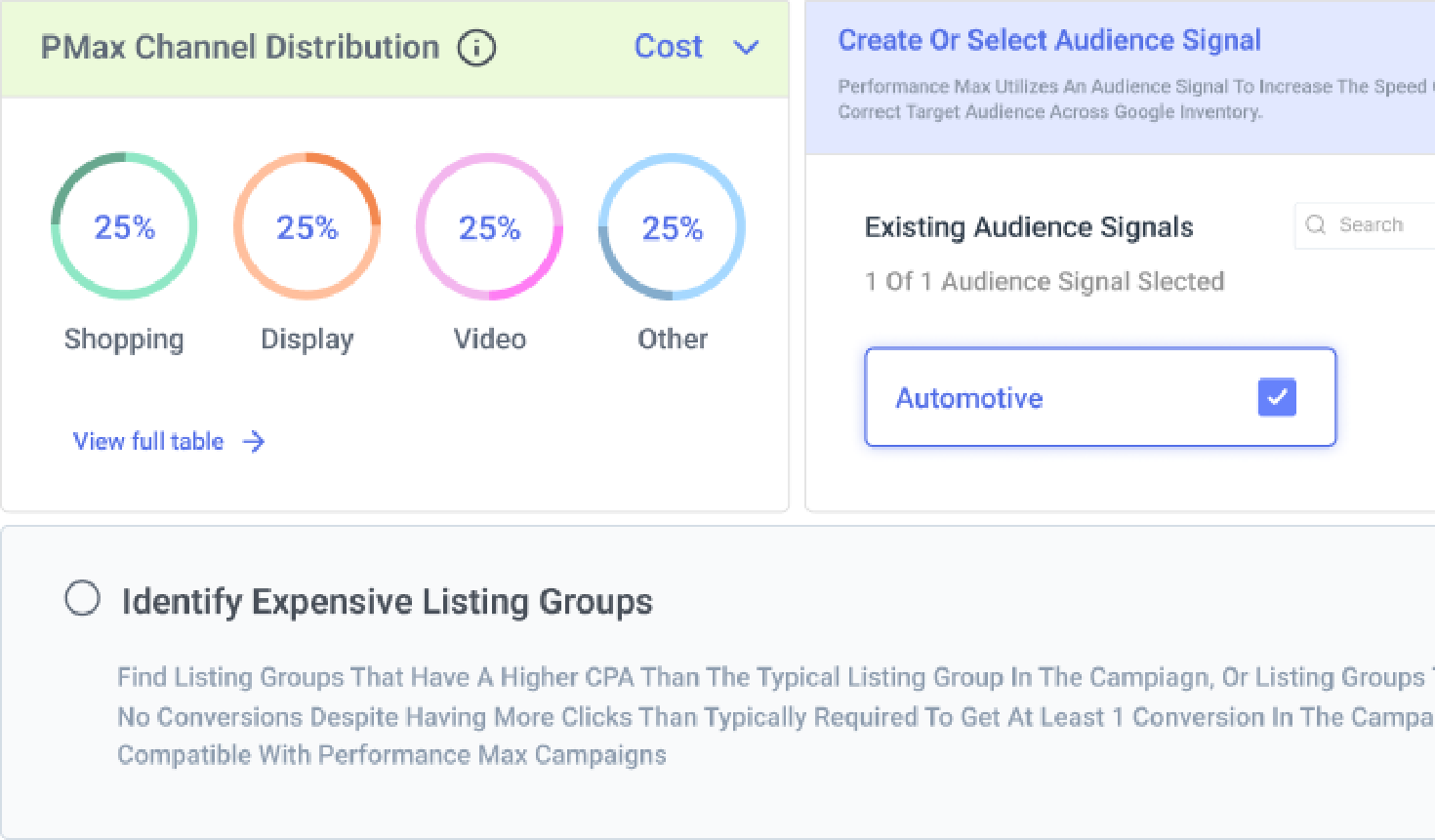


PPC Optimization Capabilities for Google & Microsoft Ads
All the flexibility you need to run accounts your way.
Whether you prefer automation to do the heavy lifting or want to stay hands‑on, Optmyzr gives you complete control. Run more efficient campaigns on a leaner budget, launch new ads and campaigns faster, and make quick edits — all without opening the ads interface.

Quickly spot the biggest opportunities to make progress.
Optmyzr Express lets you fine-tune campaigns over your first beverage of the day. We’ll highlight the most important areas needing attention—and explain why. You can approve or veto any changes, giving you more time for creativity and strategy.

Take the complexity out of managing multiple accounts at scale.
Account management is simpler with Optmyzr, no matter your role. Agencies and freelancers responsible for several accounts spend less time, make fewer mistakes, and get better results. In-house marketers with single accounts prove incrementality, mine useful insights, and bring down overall acquisition costs.

Extract full value from your ad budget.
Get everything you need to cut wasteful spend to a minimum. Pause expensive keywords, exclude non-converting queries and listing groups, prioritize budgets for top-performing campaigns, and exclude unwanted display and video placements. All of this can be automated based on the rules you set.

Answer "what if I add $10K to this campaign?" before you commit.
Know the likely impact of a budget change before spending a dollar. Adjust any budget and instantly see projected spend and KPI outcomes, including clicks, conversions, ROAS, or the metric that matters most to your business. The simulator also highlights the Maximum Potential Budget—the point where increasing budget no longer drives additional spend because the campaign has reached its limit. That makes it easy to spot where extra budget will have an impact and where it won’t. Teams managing Google, Microsoft, and Meta campaigns can model scenarios across all platforms in one place, helping answer budget allocation questions with data instead of assumptions.

Run highly tailored eCommerce and retail campaigns.
Build highly automated PMax campaigns, stay in full control with Shopping, or use Optmyzr Smart Campaigns to get the best of both. Split by product performance or feed attributes in minutes. Get alerted when out-of-stock levels cross the threshold you set, before performance shows it. A dedicated audit surfaces the exact products affected. A “Fix Now” action corrects products incorrectly marked as unavailable, straight from the same screen — no downloading, no re-uploading.

Build efficiency metrics around the conversions your business actually cares about.
When your real goal is demo bookings, qualified leads, or another custom conversion, standard efficiency metrics stop telling the full story. You’re forced to build calculations elsewhere and explain why the numbers don’t match. Calculated Metrics in Optmyzr lets you build formulas around the conversions that matter to your business. Create custom CPL, ROAS, and efficiency metrics using your own conversion counts and values—not just Google’s defaults. The formula builder uses a simple visual interface, so you can build metrics from the data you already track without memorizing syntax. Finally, the numbers in your reports match the outcomes you’re actually optimizing for.

Ask Sidekick what's underpacing, what's at risk, and what to move — without leaving the conversation.
Get budget answers and make changes without digging through reports or switching tools. Sidekick is built directly into Reallocate and Optimize Budgets, so you can ask questions about pacing, spend projections, and budget opportunities using the data already in the tool. Want to know which budgets are underpacing, how a budget increase could affect spend, or where money should be reallocated? Sidekick can surface the answers, run scenarios, and even apply approved budget changes. For teams managing budget reviews and finance discussions, that means less time preparing analyses and more time making decisions.

The audit tells you what's broken. Now it takes you directly to the fix.
Fix account issues as soon as you find them instead of hunting through menus to make changes. Every recommendation in the Account Structure Audit links directly to the relevant tool. Click an RSA issue to open the Ad Editor on that ad. Click a duplicate headline and jump straight to Ad Text Optimization. No copying IDs or manually tracking down the problem. For teams managing multiple accounts, this turns audits from a reporting exercise into a faster optimization workflow. Audit scores are more accurate, too. Checks that don’t apply to your account type are automatically excluded, so your score reflects issues that actually matter.

Paid media teams use Optmyzr to optimize their campaigns in record time
Case study
See how Matthieu Tran-Van drove a 10x productivity boost & 28% revenue surge through keyword and shopping optimizations.
Case study
Read how PixelRush reduced account optimization time by 75% using search query and keyword optimization tools.

Take back control of your PPC destiny.
Try Optmyzr for 14 days. No credit card required.


PPC Optimization FAQs
Optmyzr helps you optimize campaigns across Google Ads, Microsoft Ads, Amazon Ads, and Paid Social. For Google and Microsoft, you can easily create and manage Search and Shopping campaigns, including excluding placements like apps, mobile, and display. You can optimize key aspects of your PPC campaigns like manual and automated bid strategies, conversion value adjustments, single- and multi-account budgets, responsive search ads, A/B testing, experiments, keywords and search queries, product groups, landing page URLs, IP exclusions, and more.
Optmyzr can help improve the ROI of online ad campaigns by improving the reach and performance of campaigns and cutting wasted ad spend through its tools for more effective bid management, automation, and optimization.
Optmyzr supports all bidding strategies, including manual bidding, enhanced CPC, target CPA, target ROAS, and more.
Optmyzr Express Optimizations has ready-to-apply suggestions for ad text optimization, ad creation, and more for your Google Ads account. You can choose to apply these suggestions with one click instantly.
No. Optmyzr is easy to set up. You can get started in less than 5 minutes. Plus, there's a 14-day free trial available, and no credit card details are required from your end.
Your clients will not know you are using Optmyzr unless you want to tell them. However, most of our agency customers like to tell their clients that they use Optmyzr as it helps them win more clients.
Unlike other PPC Tools like Adalysis, TrueClicks, or Opteo, data in Optmyzr is updated in real time without any delay. You never have to worry about using stale data for your optimizations. The changes you apply using Optmyzr are also posted to the Google Ads and Microsoft Ads platforms instantly using their latest API.