Ask AI about your PPC accounts. Get real answers from live ad data.
Connect ChatGPT, Claude, or other AI tools to your Google Ads, Google Analytics, and other Optmyzr data.

What you can do with Optmyzr's MCP
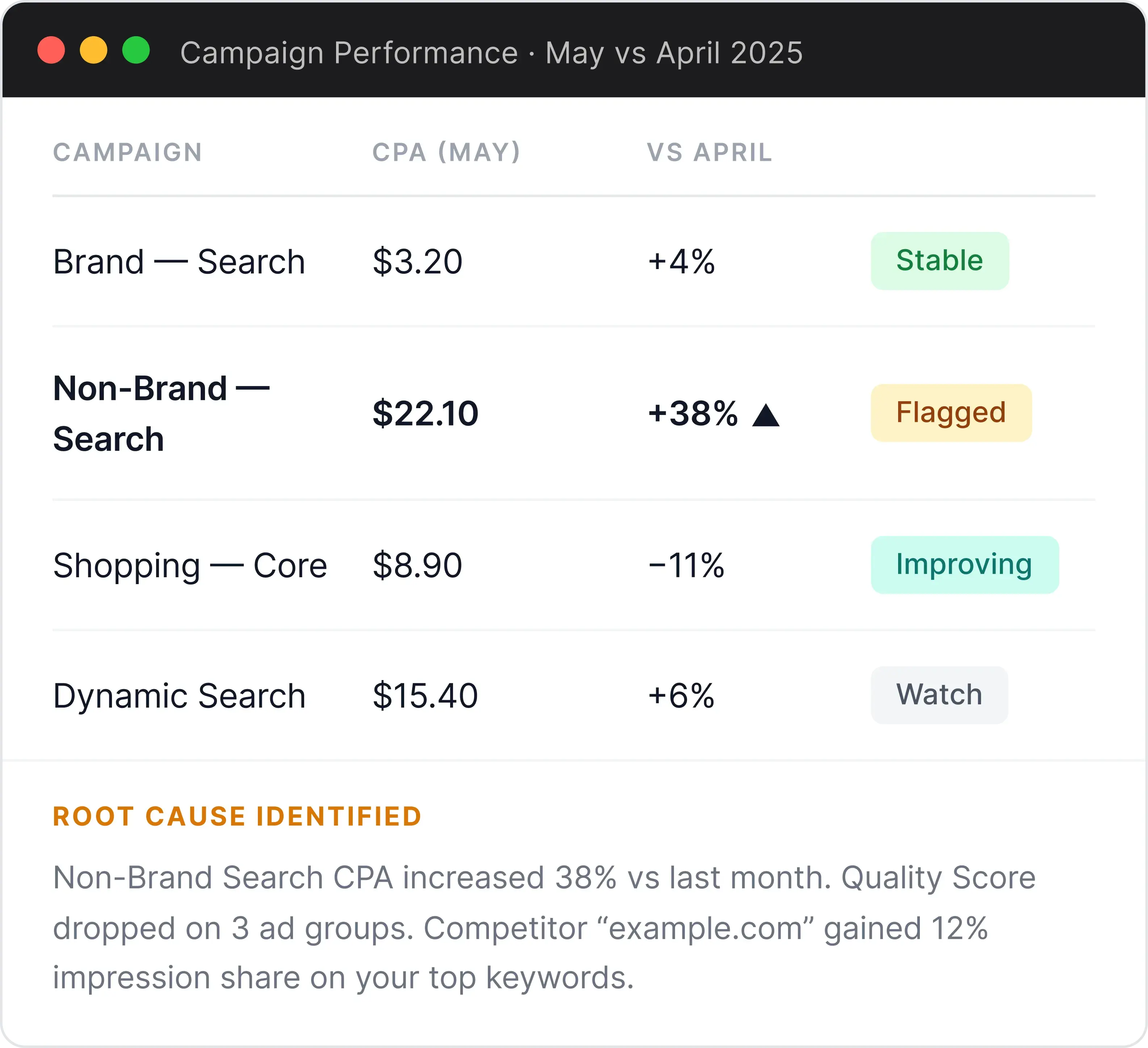
Diagnose what's driving campaign performance changes
Ask about any account and the MCP pulls live data from Optmyzr at every level: account, campaign, ad group, ad, keyword, and search term. It compares time periods and explains what shifted. It also reads the account’s change history, so you can see what was edited right before the numbers moved.
Why did my conversion rate drop last week? Pull data from my top 5 campaigns and compare to the previous week.
Find wasted spend and apply the fix without leaving the chat
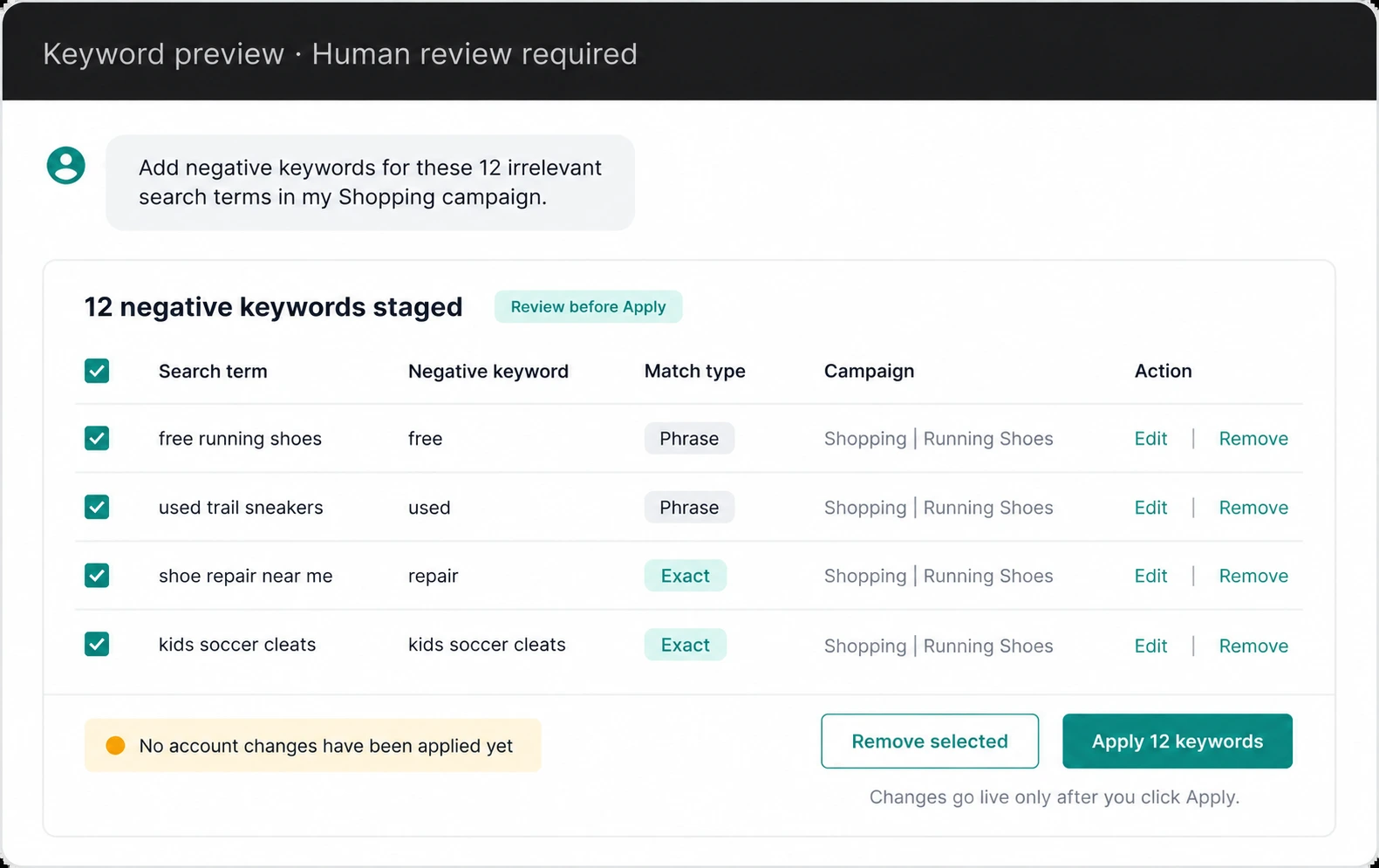
The MCP reads your search terms, maps every negative keyword already in the account, and flags campaigns that have no negative keywords protecting them. Ask it to fix what it finds and it stages the new keywords in a preview card. You can review, edit, or remove any row before you click Apply. Nothing reaches your account until you confirm it.
Find the search terms wasting spend in my Shopping campaign and add the worst offenders as negative keywords.
Write Optmyzr Rule Engine strategies in plain English
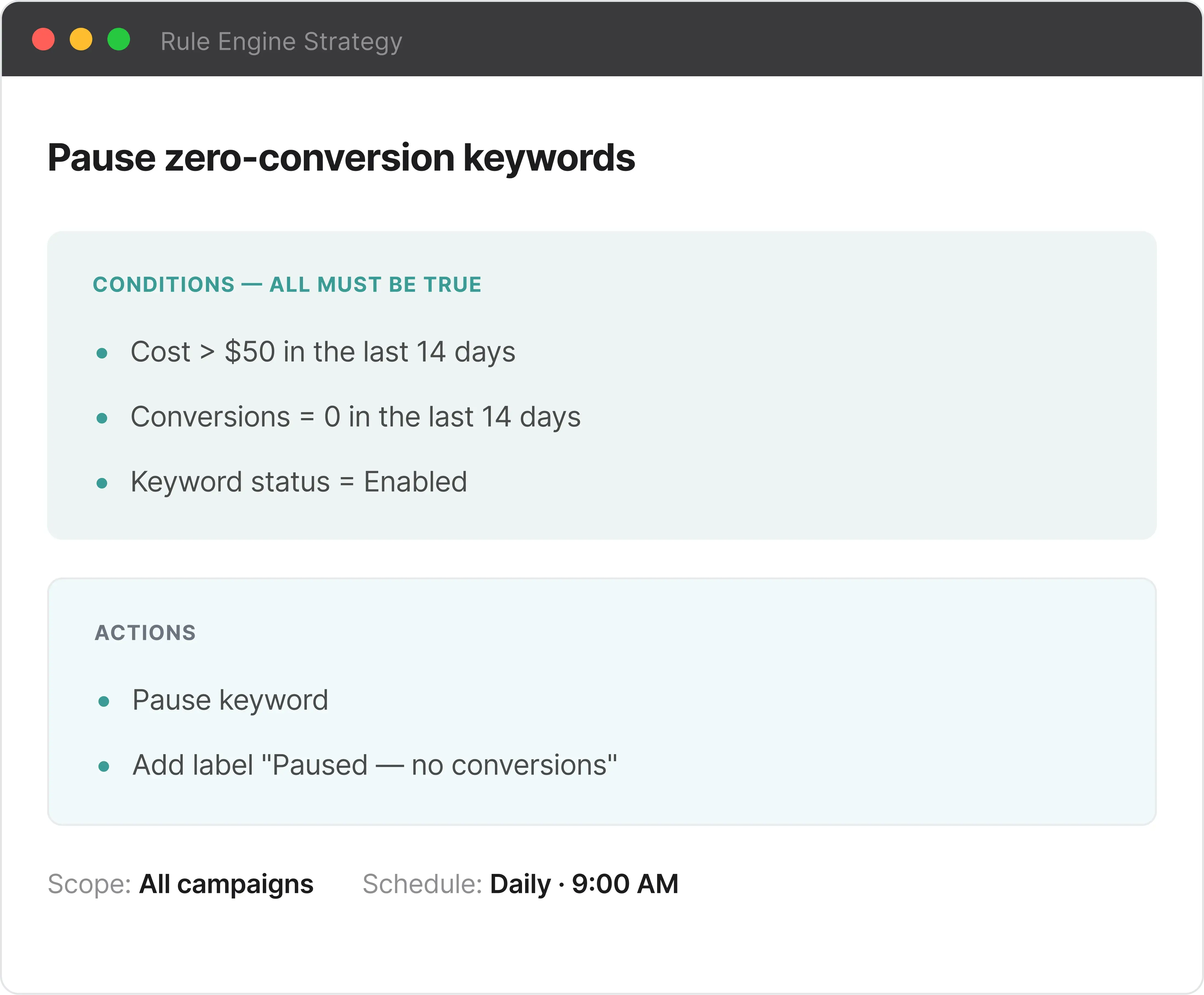
Describe what you want to automate. The MCP writes the whole Rule Engine strategy, including conditions, thresholds, and actions, ready to review and apply in Optmyzr. It covers keywords, campaigns, ads, shopping products, audiences, placements, and geo.
Create a rule that pauses any keyword with a CPA over $50 and less than 5 conversions in the last 30 days.
More Optmyzr MCP use cases
Track competitors in the auction
See which domains are bidding against you, then drill into a single competitor to get the exact keywords, ad groups, and campaigns you overlap on.
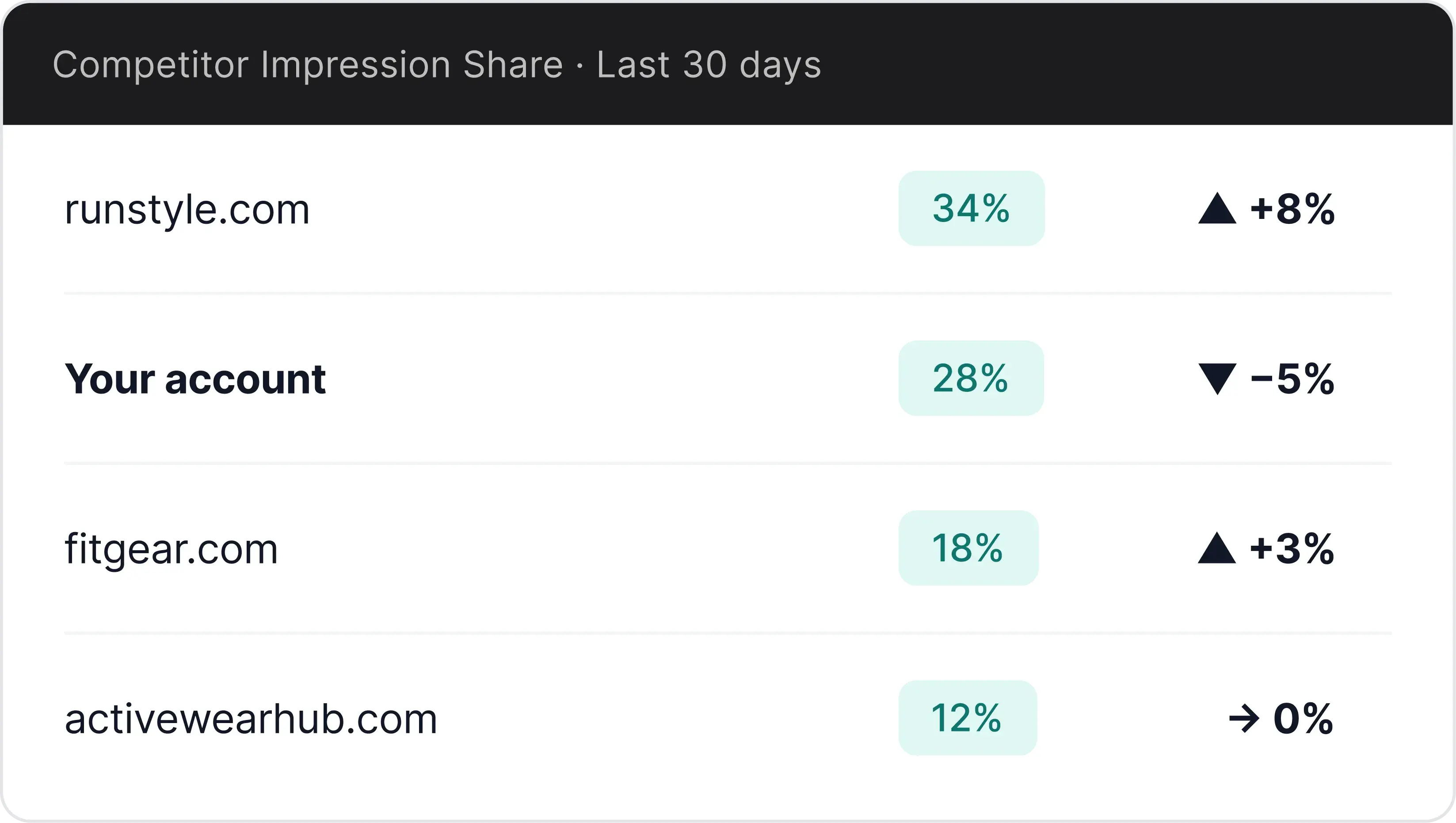
Which domains gained the most overlap against my top keywords in the last 30 days, and which of my campaigns do they compete with?
Get prioritized account recommendations
Pull Optmyzr's optimization opportunities for any account, ranked by business urgency. They cover budgets, bids, keywords, ads, audiences, placements, and the shopping feed.
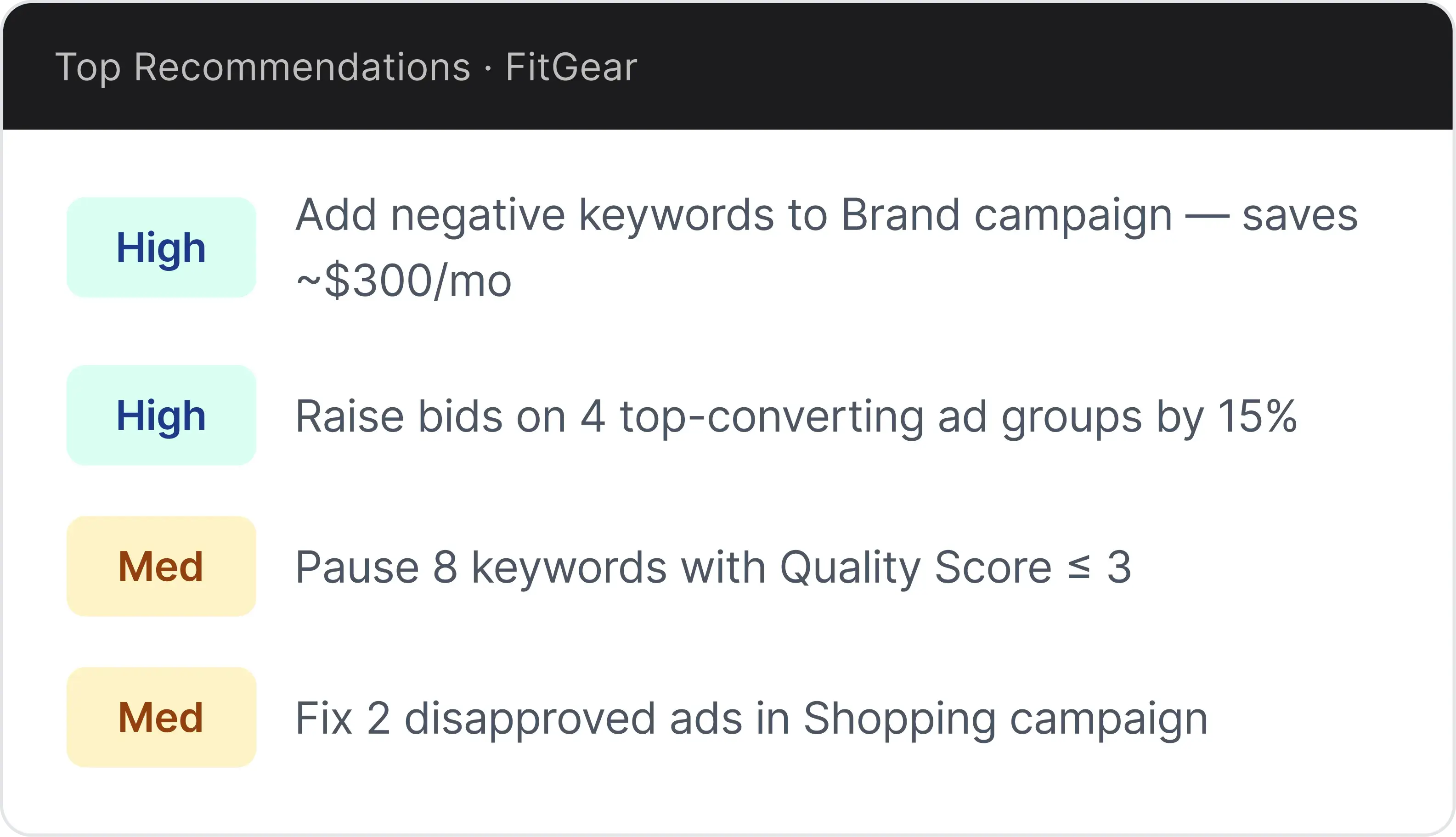
What are the top optimization opportunities in this account right now?
Compare your KPIs against industry benchmarks
See how your CTR, CPA, and ROAS stack up against Optmyzr's industry averages for your vertical and spend tier, so "is this good?" gets a real answer.
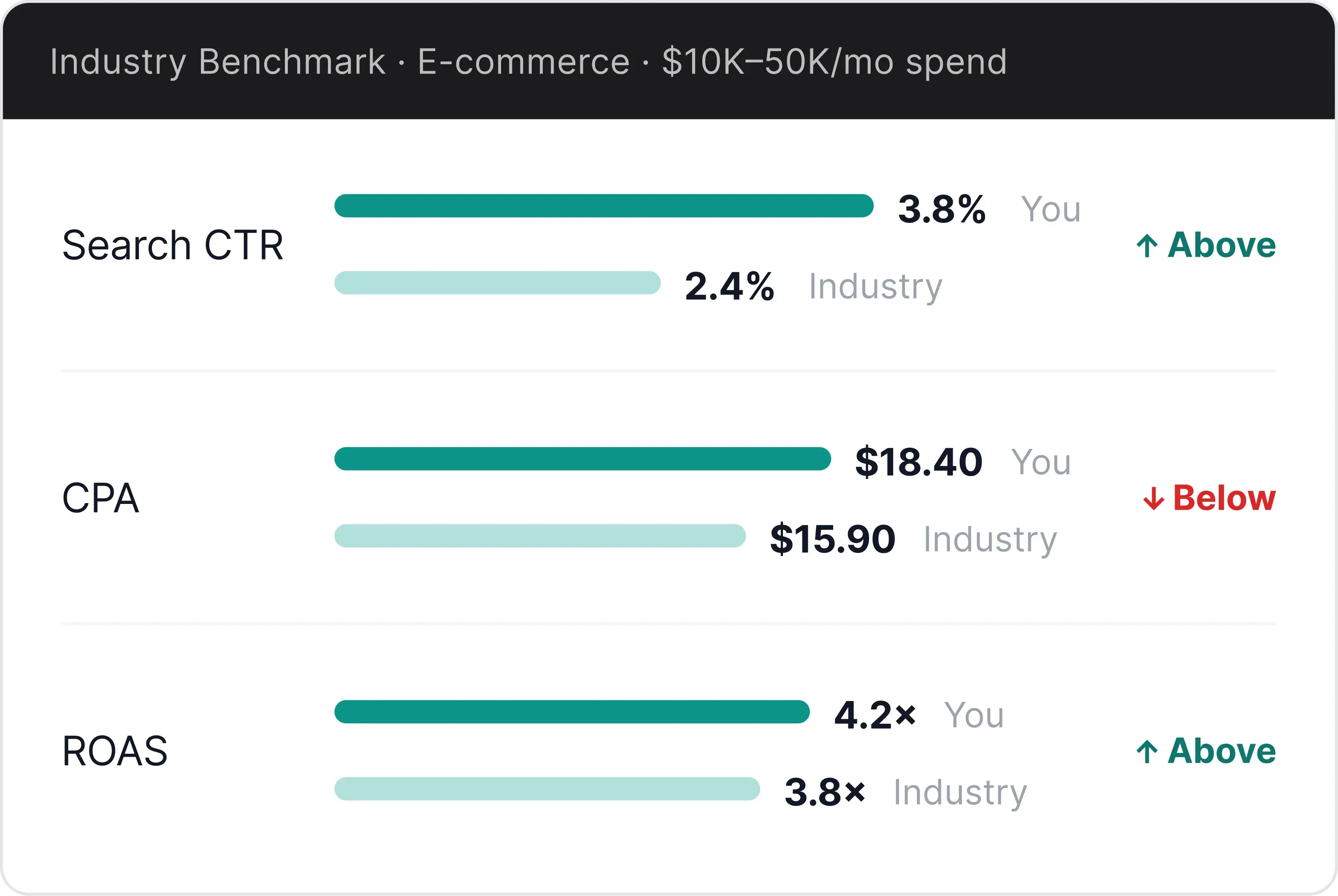
How does our Google Ads CTR and CPA compare to industry benchmarks for a commercial air quality brand?
Review and create performance alerts
Check which alerts have fired recently across all accounts, or set up new alerts without opening the Optmyzr platform.
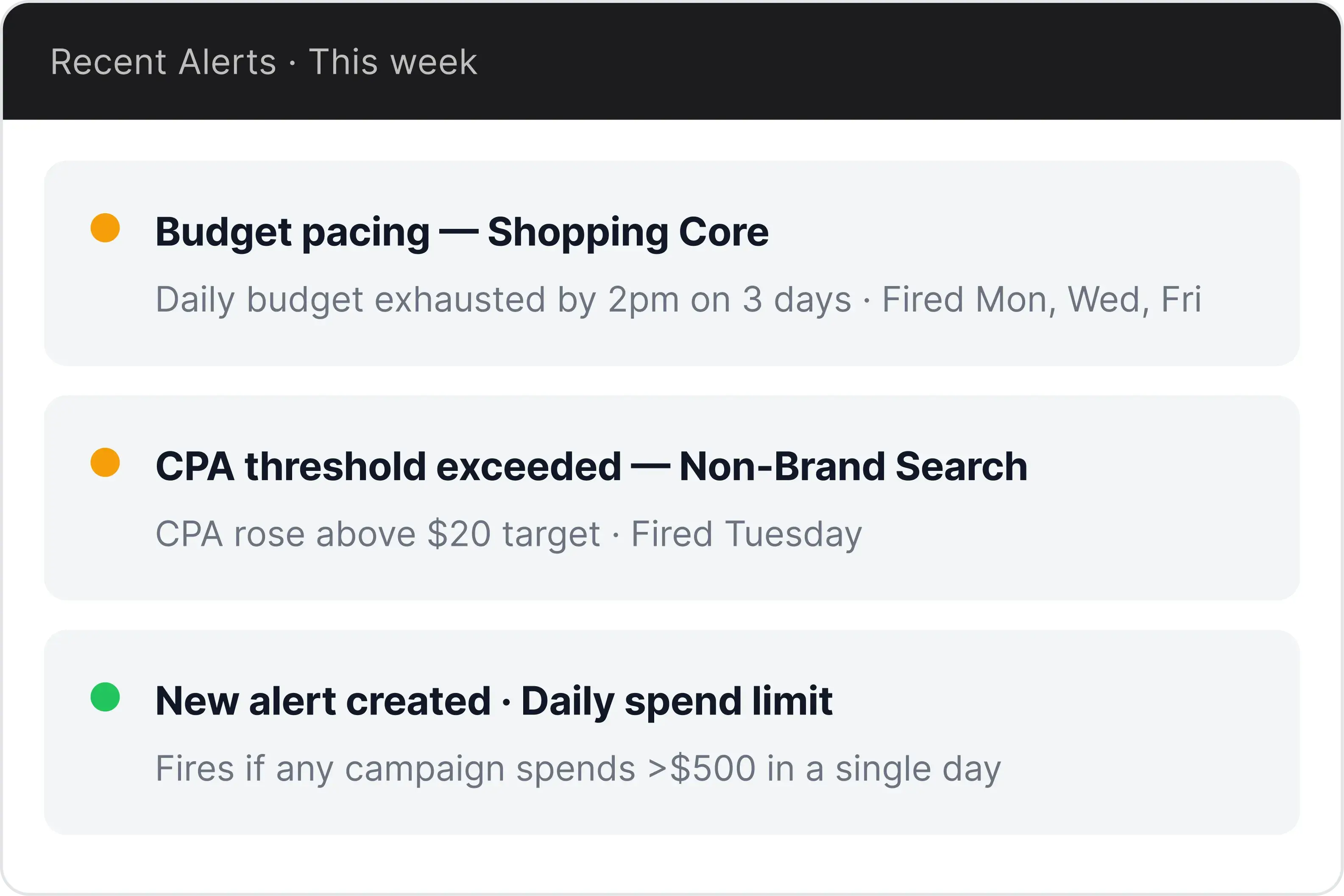
Set up an alert to notify me if any campaign spends more than $500 in a single day. Also, which alerts have fired this week?
Work across accounts and platforms
Roll up a whole portfolio in one call, or sweep every account for the same problem, across Google, Microsoft, Meta, Amazon, LinkedIn, and Yahoo Ads. Drill from campaign down to ad group on any of them, and down to individual search terms on Google, Microsoft, and Yahoo.
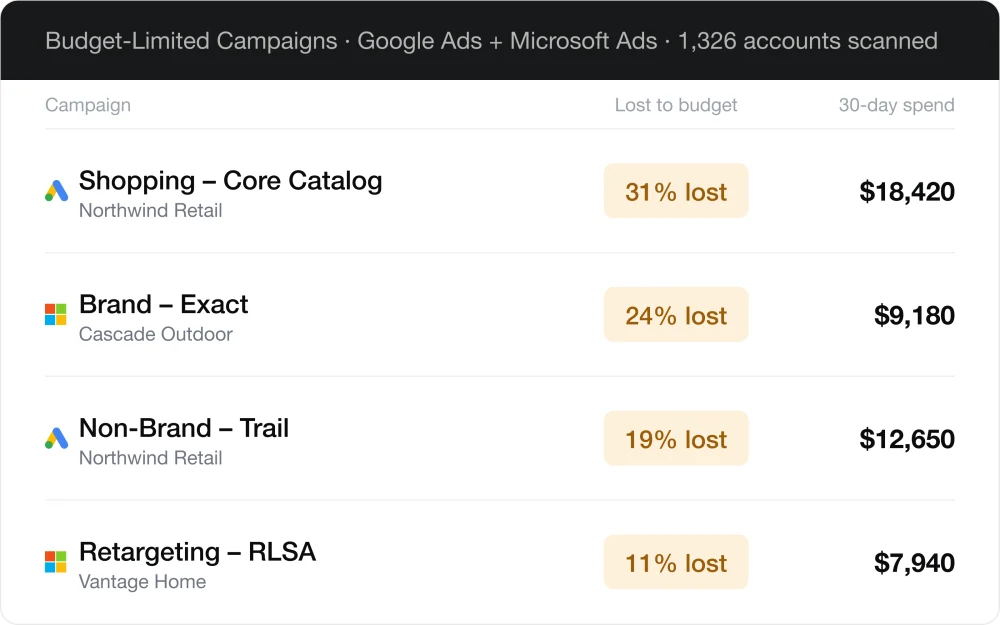
Across all my accounts, which campaigns are losing the most impression share to budget this month?
Use change history to get better insights
The MCP reads the ad platform's own change log, which records every edit and whether it came from the platform UI, Optmyzr, a script, or another tool. It then lines those edits up against what performance did next, so you can see which changes plausibly moved CPA.
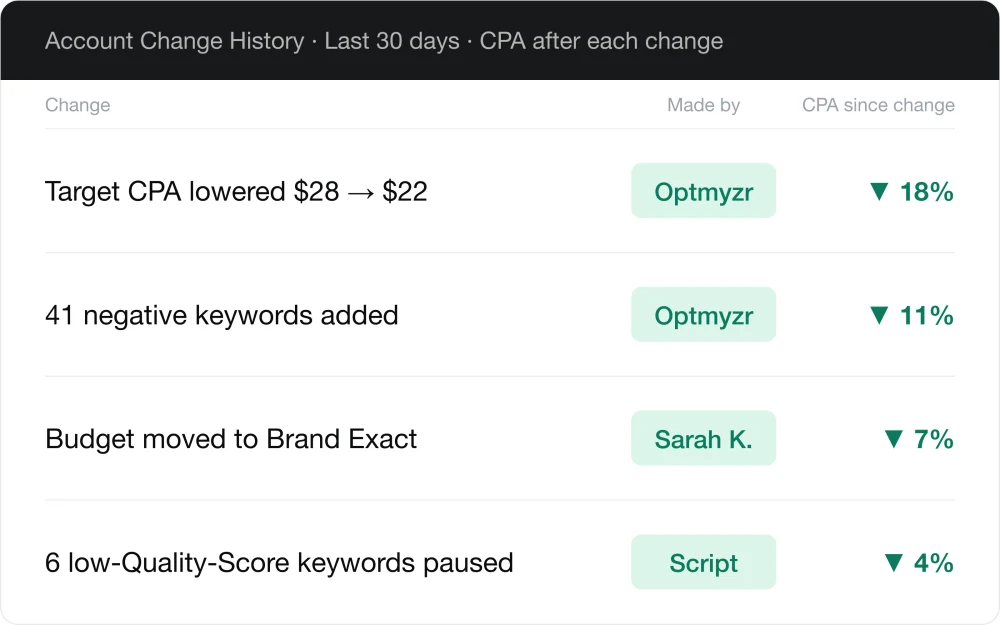
Explain some of the changes my team made that may have contributed to the improved performance and lower CPA.
Optimize to closed-won, not form fills
Claude pulls your deal outcomes from a CRM, like HubSpot, and joins them to search-term-level spend in Optmyzr, so you can see which queries produce real revenue and which ones only produce leads your sales team ignores. It then drafts the matching negatives, bid changes, and budget shifts for you to approve in Optmyzr.
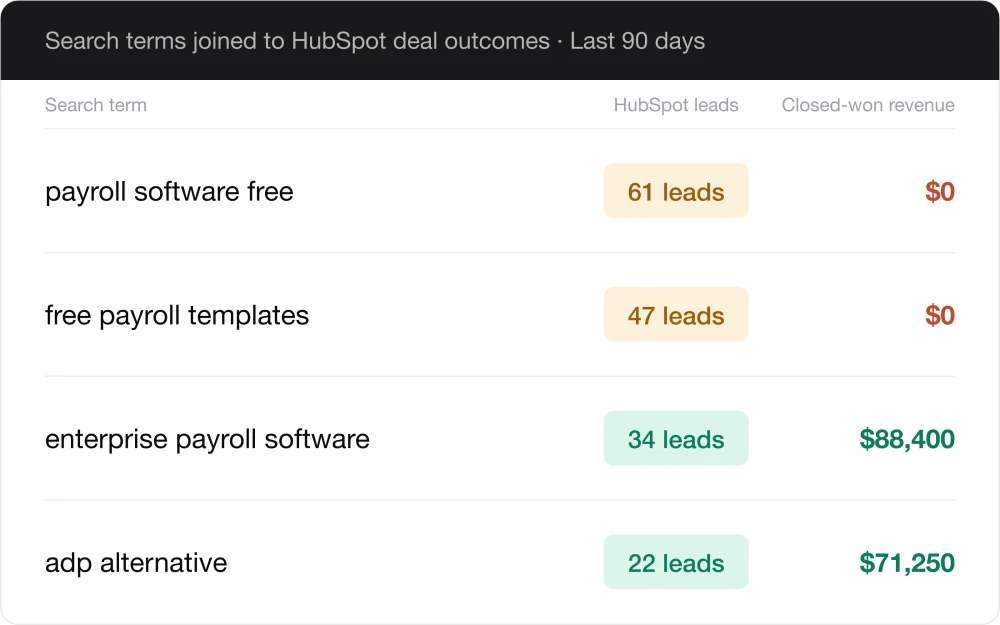
Join my closed-won deals in HubSpot to my Google Ads search terms from the last 90 days, and show me which queries actually produce revenue.
Turn a keyword gap report into applied changes
A keyword research tool, like Semrush, tells you the keywords your competitor is bidding on that you aren't. Optmyzr immediately shows you which ones you already have and which are blocked by your own negatives. It then drafts the recommended changes for you to remain competitive.
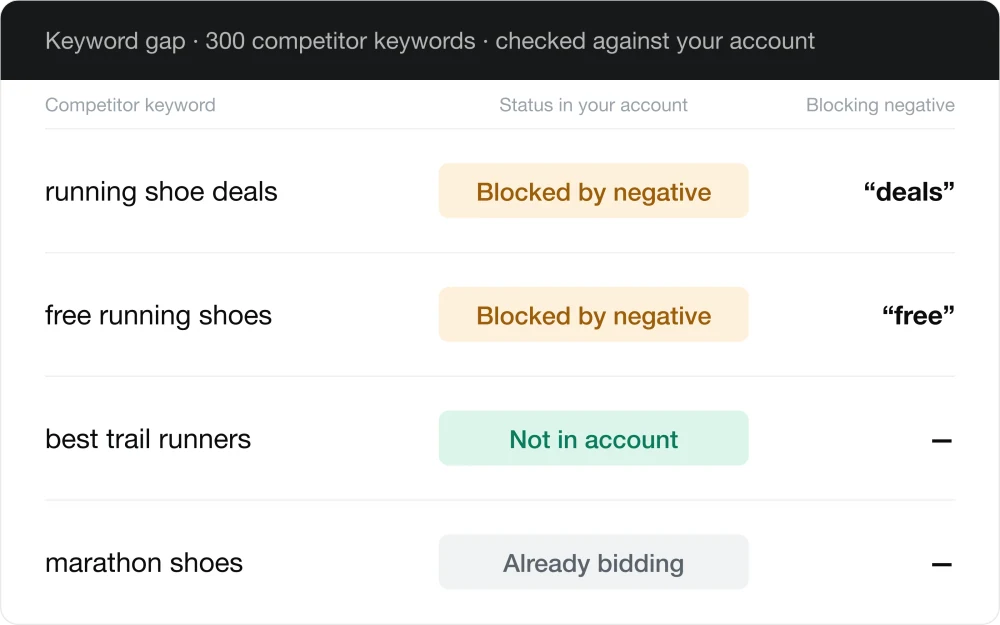
Determine my keyword gap against my top competitor, and based on my own PPC account, recommend what to change using the Optmyzr MCP.
Combine ads and analytics insights
Your linked Google Analytics 4 property sits in the same conversation as your ad data, so you can line up spend against bounce rate, engagement, and revenue by landing page without exporting anything or switching tabs.
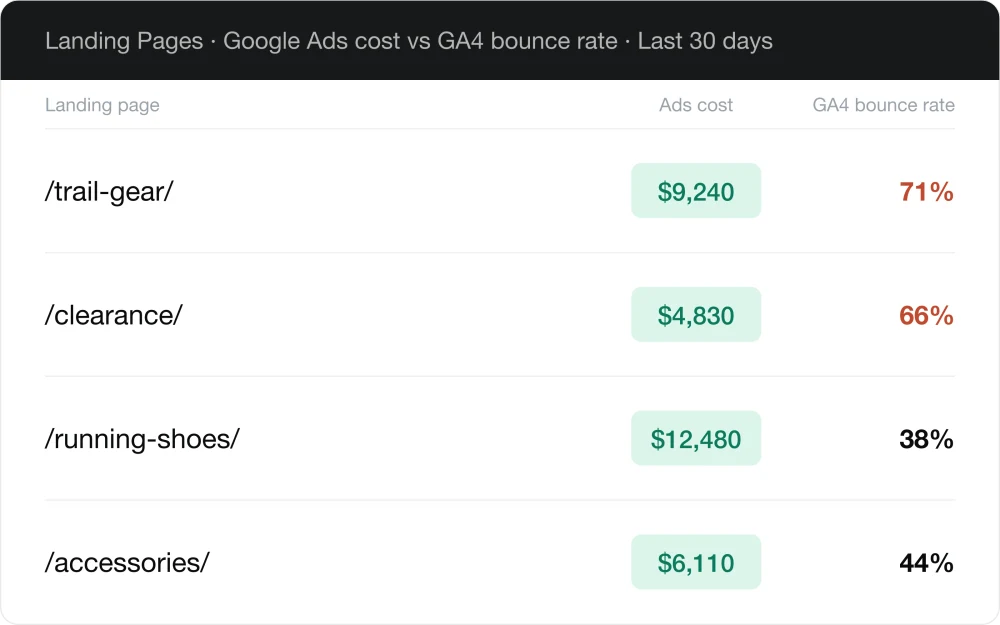
Show me the GA4 bounce rate for my highest-click landing pages, next to what I spent on each in Google Ads.
Works with the AI tools you already use

Claude
Optmyzr is listed in the Claude connector directory. You can add it in one click, with no manual setup.

ChatGPT
Add the Optmyzr MCP server URL in ChatGPT Settings. Once it is connected, ChatGPT can use every Optmyzr capability.

Other AI Tools
Cursor, Windsurf, n8n, and other tools can access your Optmyzr data the same way.