


Find out why your Shopping campaigns perform the way they do
See performance by product attribute, location, time, and channel, so you always know what’s driving results, and what isn’t.


How can you dig deeper into Shopping and PMax performance?
Ask the question your campaign structure can't answer
Two products can sit in the same ad group and perform nothing alike, but campaign-level reporting shows you one blended number for both.
Shopping Analysis breaks performance down by any two attributes at once, like price point against ROAS, or brand against category, and aggregates by Item Group ID and other feed attributes instead of your campaign structure.
Break down performance by price point vs. ROAS
Shopping Analysis breaks performance down by any two attributes at once, like price point against ROAS, or brand against category, and aggregates by Item Group ID and other feed attributes instead of your campaign structure.

See where PMax is actually spending your money
PMax decides how to split your budget across Shopping, Video, Display, and Search, but that split is normally invisible.
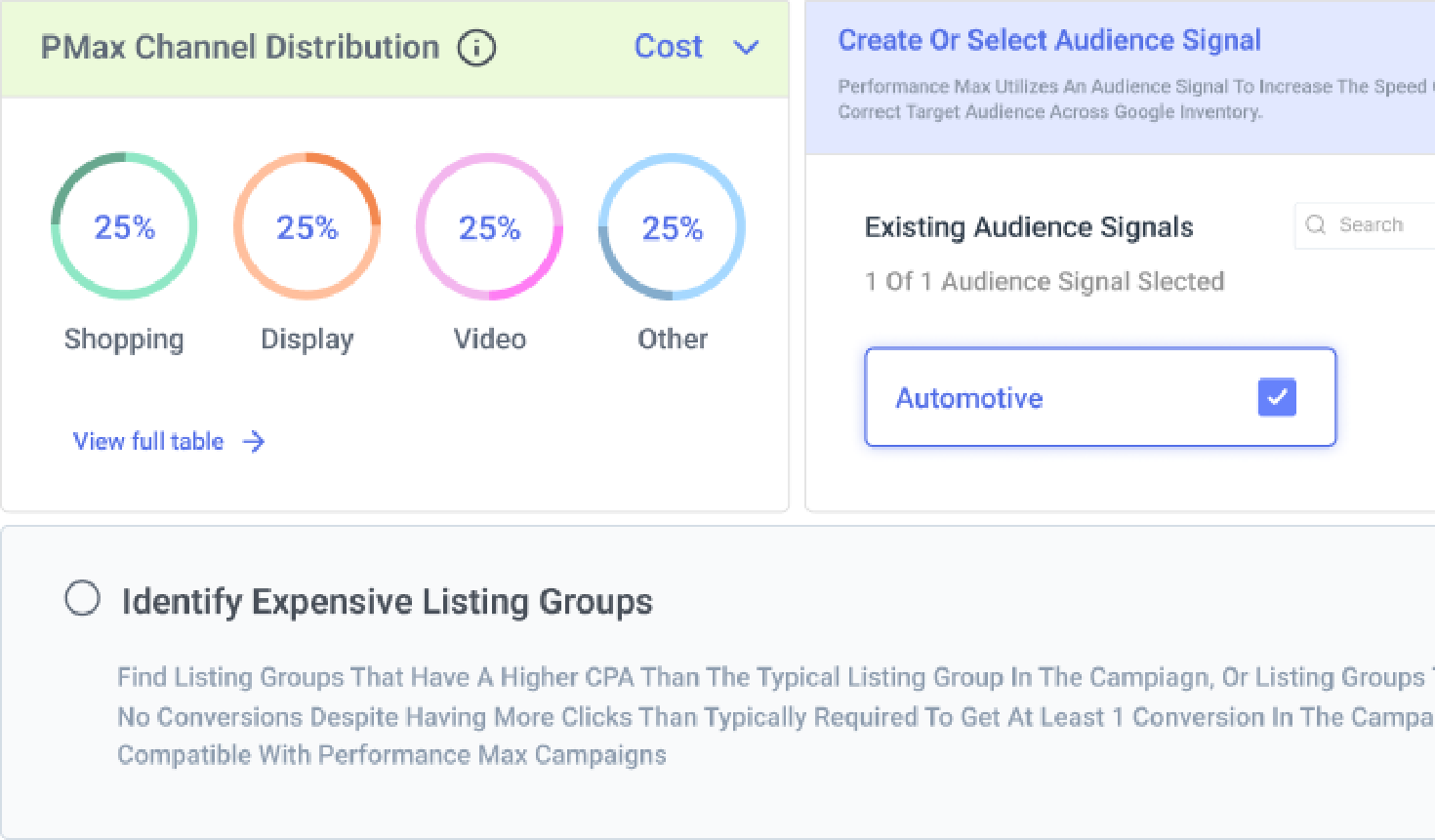
PMax Channel Distribution shows the real breakdown across four buckets: Shopping, Video, Display, and Other (which includes Gmail, Maps, and Discover) so a campaign that looks quiet on Search might be spending there without it ever showing up on its own. Optmyzr surfaces that directly instead of leaving it unexplained.
See your PMax channel distribution
PMax Channel Distribution shows the real breakdown across four buckets: Shopping, Video, Display, and Other (which includes Gmail, Maps, and Discover) so a campaign that looks quiet on Search might be spending there without it ever showing up on its own. Optmyzr surfaces that directly instead of leaving it unexplained.

See exactly which locations are earning their spend
One national ROAS number can hide a city that’s quietly draining the budget and a region that’s carrying the account. Geo HeatMap breaks Shopping performance down to the city, region, or country level across Google Ads, Microsoft Ads, and Meta Ads. You can break down the campaign performance across regions and view impressions, clicks, cost, conversions, CPC, CPA, ROAS, etc.
Map performance by city and region with Geo HeatMap

Find out when demand actually shows up
Sometimes your campaign performance on a Tuesday at 9pm and Tuesday at noon may be entirely different but a report can flatten both into an average.
Hour of the Week Analysis lines up every day-and-hour combination side by side, so you know exactly when to push spend and when to pull back, instead of guessing from a flat weekly average. You can compare against your choice of metrics like cost vs. conversions, average CPC vs impression share, clicks vs impressions, etc.
Find your best hours with Hour of the Week Analysis
Hour of the Week Analysis lines up every day-and-hour combination side by side, so you know exactly when to push spend and when to pull back, instead of guessing from a flat weekly average. You can compare against your choice of metrics like cost vs. conversions, average CPC vs impression share, clicks vs impressions, etc.

Tell a seasonal dip from an actual problem
A number that’s up 20% this month looks like a win, right up until you realize it’s up 20% every August.
Seasonal Performance Trends separates a normal seasonal pattern from a real shift in your account’s cost, clicks, conversions, and conversion value, comparing three consecutive cycles at a time (yearly, monthly, or weekly), with an AI summary spelling out which one you’re actually looking at.
Compare seasonal cycles with Seasonal Performance Trends
Seasonal Performance Trends separates a normal seasonal pattern from a real shift in your account’s cost, clicks, conversions, and conversion value, comparing three consecutive cycles at a time (yearly, monthly, or weekly), with an AI summary spelling out which one you’re actually looking at.

Check whether price is the real problem
A product can have a clean feed and solid creative and still convert badly, if it’s priced wrong against the market. Shopping Feed Audits compares your listed price against Google’s own price benchmark for that product, so a conversion problem you assumed was bidding or creative might just be price. That’s one number worth checking before touching anything else.
Benchmark your prices in the Shopping Feed Audit


You already have the data. Now you can actually see it.
Try Optmyzr for 14 days. No credit card required.


FAQs
Looking at ROAS or price point by product attribute, rather than one blended campaign number, is what separates the products worth pushing from the ones just taking up spend. Optmyzr's Shopping Analysis breaks performance down by any two attributes at once, such as price point and ROAS, so the answer comes from the data instead of a guess.
No, not if the analysis is tied to your feed instead of your campaign structure. Optmyzr's Shopping Analysis aggregates by Item Group ID and other feed attributes, so the numbers hold together even after you rebuild a campaign from scratch.
PMax splits spend across four buckets: Shopping, Video, Display, and Other (which includes Gmail, Maps, and Discover). Optmyzr's PMax Channel Distribution widget shows the real breakdown, including how much sits inside that Other bucket.
Yes. Optmyzr's Geo HeatMap maps performance down to the city, region, or country level for Google Ads, Microsoft Ads, and Meta Ads, so you can see exactly where spend and conversions are really coming from instead of one blended number for the whole account.
Yes. Seasonal Performance Trends breaks your account's cost, clicks, conversions, and conversion value into a normal seasonal pattern versus an actual shift, comparing three consecutive cycles at once, so a spike or dip gets explained instead of just flagged.